
The process
Two businesses.
One flow.
Five steps from a customer without a prescription to a legal sale.
RH Clinic
Licensed Thai traditional medicine clinic with its own practitioners. Holds the consultation, decides, and issues the PT33.
Your herbal shop
Keeps its own licence, stock and customers. Sells only what was prescribed, through RH Thai POS on an iPad.
- 1Your shop
A customer comes in without a prescription
Your staff don't turn them away, and they don't sell either.
- 2Your shop
Staff send a request from the till
Scan the passport, take a live face photo, tick the customer's consent. It goes straight to RH Clinic's queue.
- 3RH Clinic
Dr. May's team at RH Clinic decides
After the consultation: issued or declined. If something is missing, the question comes back to your till.
- 4RH Clinic
The customer gets a digital card
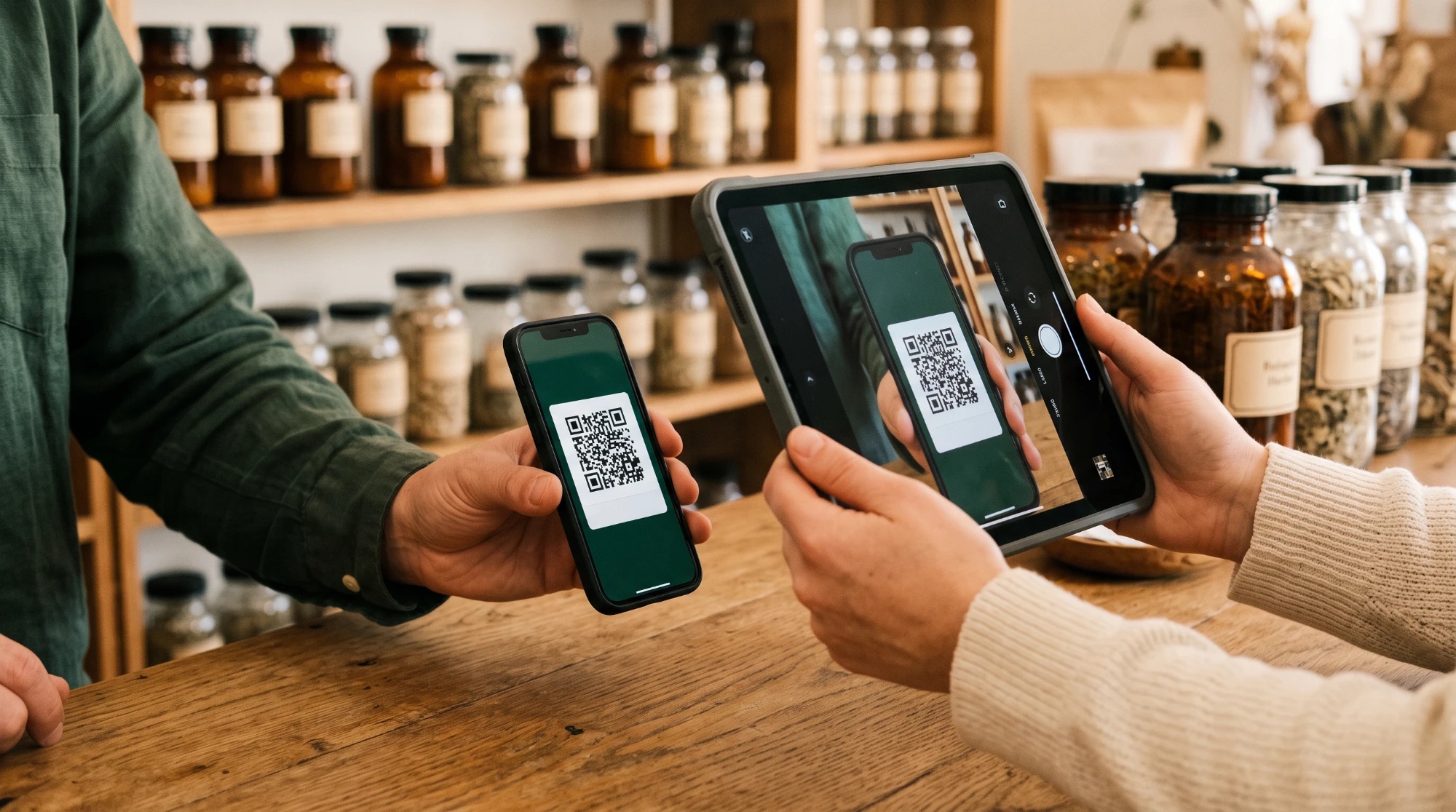
A QR card on their phone, by WhatsApp or LINE, from RH Clinic's own account. The QR changes every minute, so it can't be copied.
- 5Your shop
You scan the card and sell
Up to the grams on the prescription. Every gram is logged against the PT33 number and the batch.

You never write a prescription. You never hire a doctor. You never keep a patient file.
In RH Thai POS · step 2
Request a prescription
in two minutes.
“New prescription” sits in the till's menu. No paperwork, no extra app.
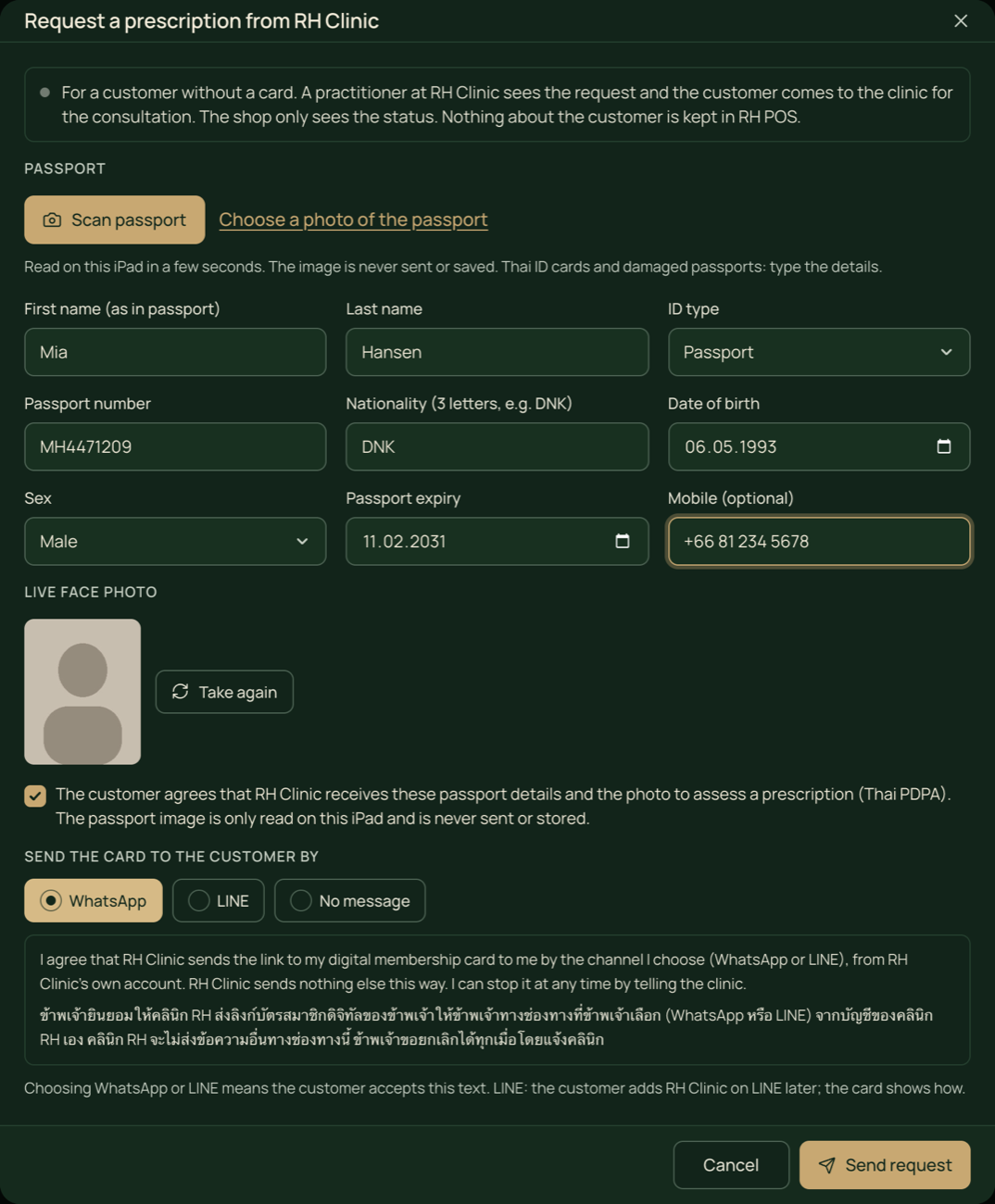
Passport read on the iPad
Point the camera at the photo page and the fields fill in. The passport image is never sent or saved.
A live face photo
Taken at the counter and sent once to the clinic, so the practitioner knows who the card is for.
Consent built in
The customer agrees under Thai PDPA before anything is sent, in English and Thai.
Nothing stays in your till
The details go to RH Clinic. Your shop only sees the status of the request.
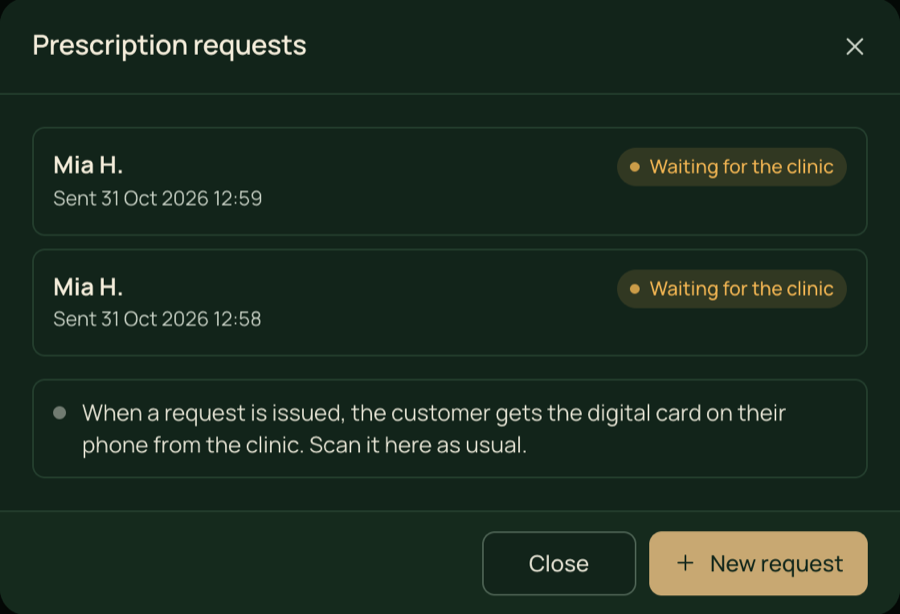
Status in the till: waiting, a question from the clinic, issued or declined.
Questions come back
If the practitioner needs more, the till flags it and staff answer right there.
The card goes to the phone
Once issued, RH Clinic sends the QR card by WhatsApp or LINE.
Thai ID works too
Thai ID cards and worn passports: staff type the details instead.
In RH Thai POS · step 5
Sell on the prescription.
Never past it.
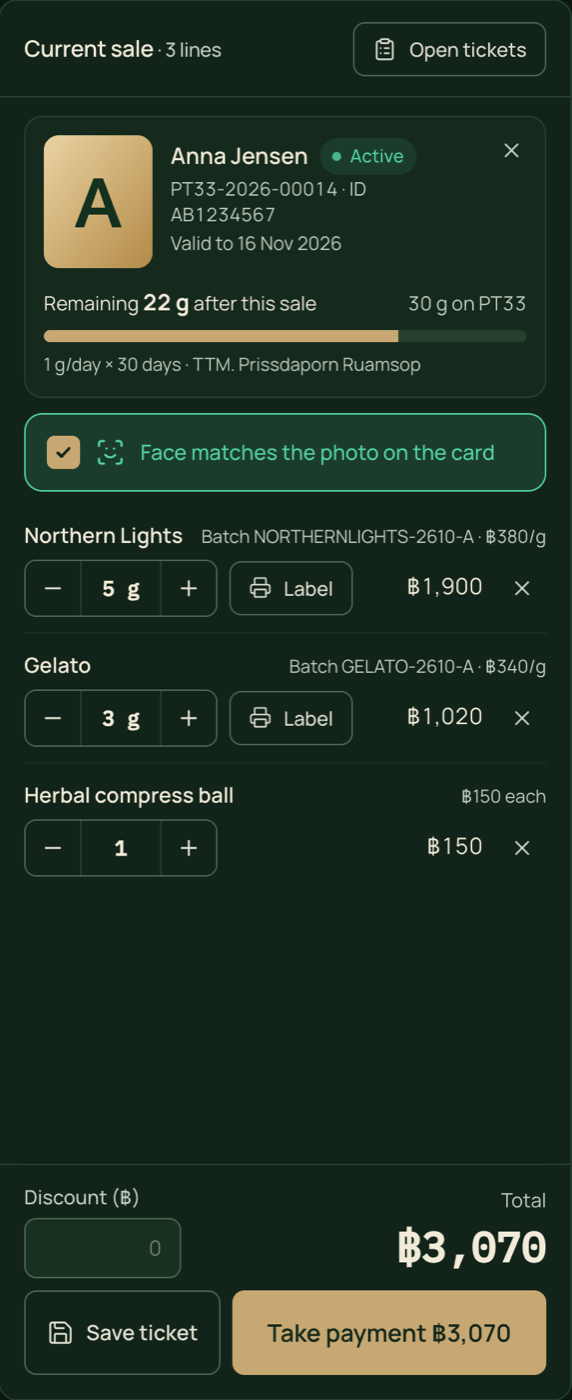
Scan the card, and the till knows how much this customer may still buy. It won't let staff go over.
Scan the QR card
The QR changes every minute, so a screenshot or a forwarded photo stops working. It holds a signed token, never personal data. The shop sees validity and remaining grams, no medical details.
Check the face
Staff confirm the customer matches the photo on the card before payment.
Remaining grams, live
Shown before and after every line. Try to add more than the prescription allows and the till stops you.
Batch on every line
Only batches with an approved COA and GACP can be sold. Bag labels print from the sale.
Prescription on the receipt
PT33 number, grams left and valid-until date, with “for the named patient only”.
Daily dispensing report
Grams per prescription per day, as PDF and CSV.
Nothing is overwritten
Corrections are new entries with a reason. Every action is in the audit log.
Works across shops
One prescription, one balance, whichever partner shop the customer visits.
When does your licence expire?
Tell us about your shop and your licence, and we will plan the switch with you before it runs out.